
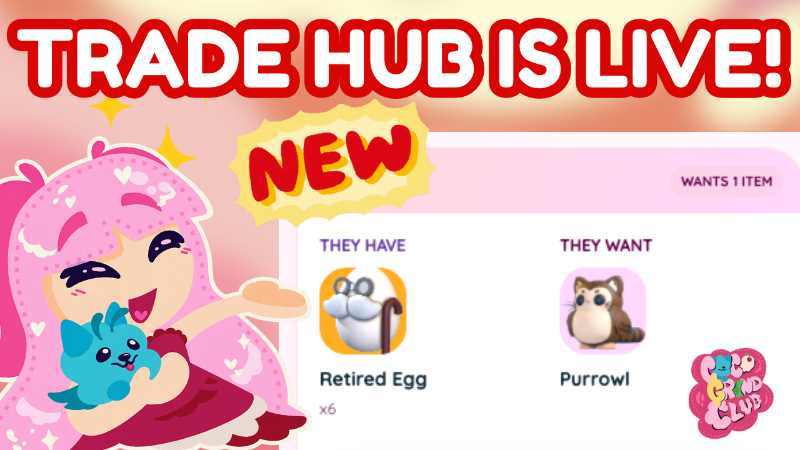
We’ve been busy, Puffies. Today we’re launching something a lot of you have asked for: the Coco Grind Club Trade Hub.
It’s a place to post the pets and items you have, say what you’re looking for, and get offers from other players, even when you’re not in Adopt Me. The trade itself still happens in-game, but posting listings and finding your dream trades just got easier!
How it works
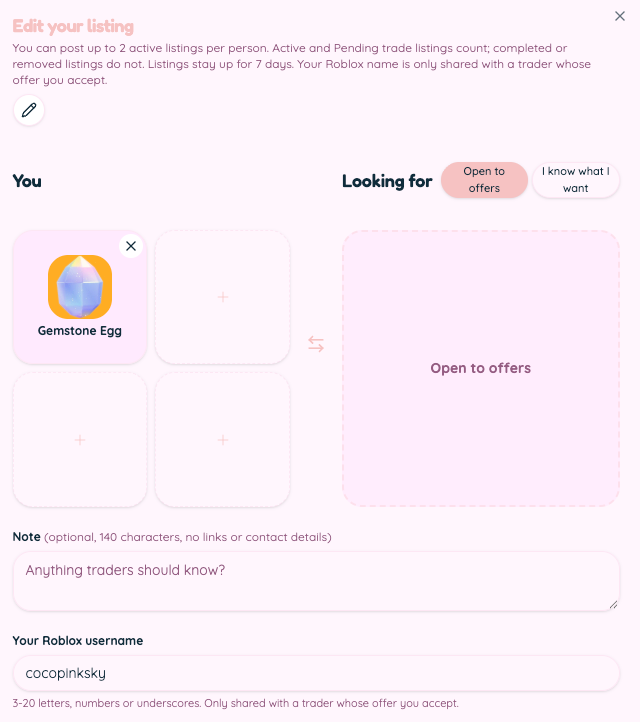
Post a listing. Sign in with Google, tap Post a listing, and add up to 4 items you have. Then pick up to 4 items you want, or choose Open to offers and see what comes in. Add your Roblox username and an optional note, and your listing is active.
Get offers. Other players can offer up to 4 items of their own, with a short note. You see every offer in your Profile under My Trades, then accept the one you like or decline the rest.
Meet and trade. Once you accept an offer, you and the other player can see each other’s Roblox usernames. Send a friend request, meet in any public Adopt Me server (or in our private Trading Servers for ages 13+), and check every item before you accept the trade in-game.
Reading a listing
Each card shows what the poster has and what they want. We made it feel like you're making a trade just like you're in Adopt me so you'll see little badges on the pets to show the variants: N for Neon, M for Mega Neon, F for Fly and R for Ride.
Meet your new Profile
Signing in now gives you a Profile, your home base on Coco Grind Club. From there you can:
Save your Roblox username once, so it’s ready whenever you post a listing or make an offer.
Track your listings under My Listings, with every offer that’s come in, so you can accept or decline in one place.
Follow your offers under My Offers, to see which are pending, accepted or declined.
Look back at your trades under Completed Trades, with what was traded and who with.
Keep your favourite servers handy, so your grind servers are one tap away.
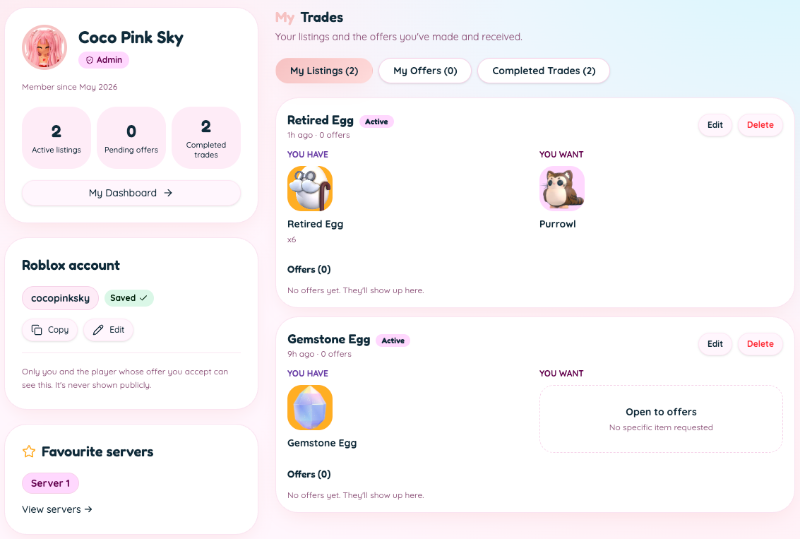
No more hunting for that one listing you posted last night. Your Profile has it.
Built with safety in mind
We know trading can attract scammers, so we’ve built a few protections in:
Your Roblox username stays private until an offer is accepted. Only the player you accept (or who accepts you) ever sees it.
Listings last 7 days, and each player can have up to 2 active listings, so the board stays fresh.
There are daily offer limits so nobody can flood your listings.
Completed trades are kept in your profile for 14 days and then removed automatically.
We also wrote a Trading Guide with the full walkthrough and a list of the most common scams to watch out for, like trust-trading, or private server trades, last-second swaps and fake middlemen. Please read it before your first trade. And remember the golden rules: trade only inside Adopt Me, never share your password or log in through a link someone sends you, and never use a middleman. Spotted a scammer? Tell us on Discord or on the Contact page.
No values, no worries
You won’t find value lists, “W/F/L” ratings or trade calculators here. In the Trade Hub, a good trade is simply one that makes you happy. Post what you have, say what you’d love, or stay open to offers, then say yes only to the ones that feel right. No pressure, no judging and no being told your pet “isn’t worth it.”
Try it today
Head over to the Trade Hub, post your first listing and let the offers roll in. We’d love to hear what you think, and what you’d like to see next. Share your feedback in our Discord.
Happy trading, Puffies! 💖